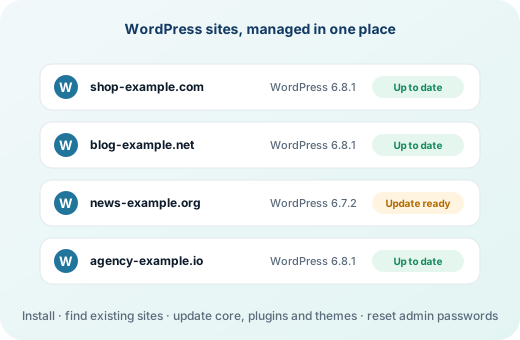
Install in a minute#
In the client area, open Websites & Apps → WordPress. Choose the domain, optionally a folder such as blog, and click Install WordPress. The newest WordPress is downloaded from wordpress.org and gets its own database and user. If the website already has a certificate, WordPress is set up for https:// from the start.
Every WordPress site in one list#
Your WordPress sites lists every WordPress found in the account's websites, including ones uploaded by hand or restored from a backup, with the version and the updates waiting for each.
Updates without logging in to each site#
Open a site with Manage to:
- Update everything, or WordPress, plugins and themes one kind at a time.
- See its plugins and themes, and which of them have updates.
- Set a new password for a WordPress administrator who is locked out.
- Sign in to wp-admin directly.
- Remove WordPress, with or without its files.
Safe hosting for WordPress#
WordPress benefits from everything else intoPanel does: account isolation keeps a hacked site from reading its neighbours, ModSecurity stops common attacks, the malware scanners find web shells, and PHP versions up to 8.5 can be chosen per domain.
Frequently asked questions
Can resellers and clients use the WordPress Manager?
Yes, when it is in their package's feature list.
Does it work with WordPress sites I uploaded myself?
Yes. Any WordPress in the account's website folders, or one folder below, is found and listed.
Can I choose the PHP version for a WordPress site?
Yes. Each domain can use any installed PHP version, from 7.4 to 8.5.