Why isolation matters on a shared server#
A shared hosting server runs hundreds of websites under one operating system. Without isolation, a single compromised WordPress plugin can read the files of every other account, and a single runaway script can use every processor core. Most panels solve this with a separate product. intoPanel builds it in.
How Account Isolation works#
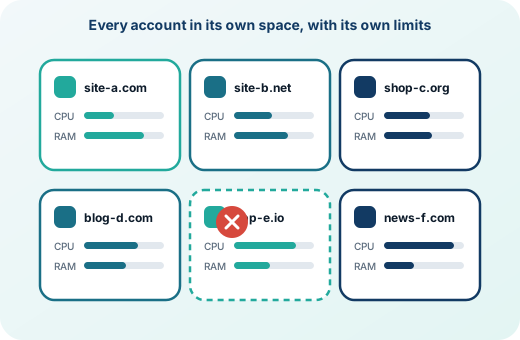
Switch it on under Security → Account Isolation. From then on, each hosting account's PHP runs in a service of its own, and so do the account's Node.js, Python and Ruby applications. Each of those services gets a private view of the server:
- Of
/homeit sees only the account's own folder. Other accounts are not even listed. - It has its own
/tmp, so temporary files and sessions are not shared. - On AlmaLinux 9 and 10, processes of other users are hidden.
A website that is broken into therefore cannot look around the other accounts. Switching isolation on restarts PHP for every website once, and each isolated account uses a little more memory for its own supervising process.
A jailed shell for SSH and SFTP#
When a package allows shell access, the jailed shell gives the account's SSH and SFTP sessions the same private view: only its own folder under /home, a private and empty /tmp at every login, other users' processes hidden, and the rest of the system read-only. PHP, Git, Composer, WP-CLI and the database client keep working inside it.
Resource limits per package#
Each package can limit what runs as its accounts: their PHP, their scheduled tasks and their shell.
| Limit | What it controls |
|---|---|
| Processor | Percent of one core: 100 is one core, 200 is two |
| Memory | The account's total memory, from 64 MB |
| Disk reads and writes | Megabytes per second |
| Processes | How many processes the account may run at once |
| Database connections | Connections at once, per database user |
| Database queries | Queries per hour, per database user |
A website that reaches its processor or disk limit is slowed down, not stopped. Everything that runs as the account's system user is moved into the account's own control group within a couple of seconds, so one busy website slows down itself, not its neighbours.
Other protections that work alongside#
Symbolic link protection, a protected /tmp mounted without permission to run programs, shell fork-bomb protection, compilers closed to users, and a check of every account's cron jobs for scripts that download and run code from the internet. The Security Checkup page shows which of these are on.
Frequently asked questions
Is this the same as CloudLinux CageFS and LVE?
It solves the same problems: a private view of the file system per account, and per-account limits on processor, memory, I/O and processes. In intoPanel it is part of the panel and needs no extra licence.
Does isolation slow websites down?
No noticeable slowdown. Each isolated account uses a little more memory for its own supervising PHP process.
Are cron jobs isolated too?
Scheduled tasks are held back by file permissions and the account's resource limits, but they do not run in the private view. Cron jobs that download and run code are flagged by the cron check.