What a backup contains#
Each account's backup holds its home folder (websites and mail), its databases with their users and passwords, its mailboxes and forwarders, its domains, DNS zone, cron jobs and panel settings. The layout is a widely used one, which is why account backups made on other servers in that layout can be restored too.
Schedules and copies kept#
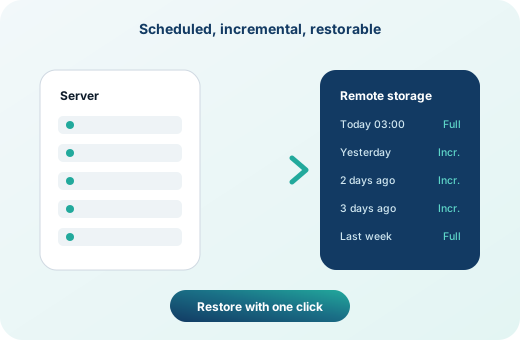
Under Backup Settings choose when backups run and how many daily, weekly and monthly copies to keep. Pick the accounts to include, or leave some out, such as large archive accounts you back up elsewhere.
A copy on another server#
A backup on the same disk does not survive the loss of that disk. Add a remote destination over SFTP or FTP and every backup is copied there after it is made. Remote backups are listed on the restore page next to local ones, and fetching from the remote uses several connections at once to bring large accounts back quickly.
Restoring#
- A whole account: pick it on Restore Backups, choose the date and restore. Several accounts can be restored side by side, each with its own progress box and log.
- Files and folders: bring back one folder or one file from a backup without touching the rest of the account.
- From a file: upload a backup file, including a
cpmovefile from another server, and restore it as a new account.
Clients can also make and download their own backups from the client area, and restore files from the server's backups when their package allows it.
Frequently asked questions
Can I keep backups on Amazon S3?
intoPanel copies backups to remote servers over SFTP or FTP. Many storage services offer an SFTP endpoint; use that, or a small storage server.
Do clients see the server's backups?
Clients see the backups of their own account, and can restore files from them if their package's feature list allows it.
Are backups compressed?
Yes, each account's backup is a compressed archive in a widely used layout that other tools can read.