Two ways to move#
Restore cPanel backups#
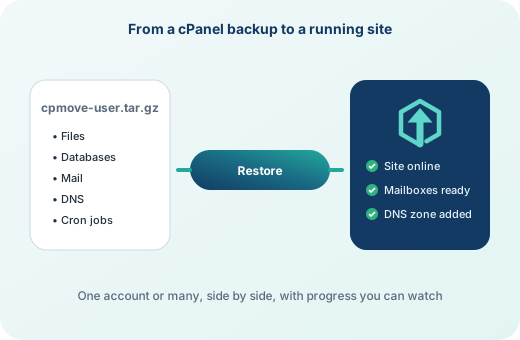
Copy a cPanel backup folder (for example 2026-10-07/accounts/, weekly/ or monthly/) into /var/backups/intopanel, or upload single cpmove-user.tar.gz, user.tar.gz or backup-DATE_user.tar.gz files. They appear on Restore Backups with their dates. Backups at your remote destination are listed too.
Migrate from a running server#
Server Migration connects to another cPanel & WHM or intoPanel server over SSH, with its root password (kept only in memory) or with this server's SSH key. It lists the other server's accounts with their domain, disk use, owner, package and dedicated IP. Tick the ones to move and start; several are copied side by side. Server Migration also brings FTP accounts and the panel password, and can copy packages and service settings.
What comes across#
- The home folder: websites and mail.
- Databases with their users and passwords. Database names keep their ending; accounts renamed on cPanel keep their old database prefix so the website settings still work.
- Mailboxes with their passwords, and forwarders.
- Addon domains and subdomains.
- DNS records. Each zone is made to point at the new server, then the old zone's other records (CNAME, TXT, SRV, CAA and A records pointing elsewhere) are added.
- Cron jobs, with old home paths and cPanel's PHP paths such as
ea-php81changed to this server's. - The package the account had on cPanel, or one made from its limits.
SSL certificates are not copied: Automatic SSL issues free certificates for the moved domains. Cron jobs that start at reboot, or that download code from the internet and run it, are left out and named in the restore log.
After the move#
Lower the TTL of your DNS records a day before you switch, point the domains or nameservers at the new server, and check the restore log of each account. The migration guide walks through the whole plan.
Frequently asked questions
Does the account keep its password?
Yes. An account restored from a cPanel backup signs in with the password it had on the cPanel server.
Can I move hundreds of accounts?
Yes. Restore or migrate them in batches; several accounts are processed side by side, each with its own progress and log.
What about email that arrives during the move?
Lower DNS TTLs first and move each account shortly before you switch its DNS. Mail that arrived on the old server in between can be copied again by restoring that account's newest backup.